Close Audit
An audit can be closed once all its elements are closed.
- Click on the Close Audit button.
- Confirm by clicking OK.
Audit status will be changed to Closed.
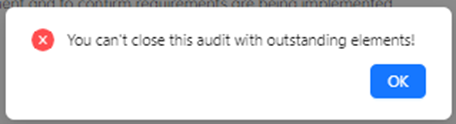
If any single element is open for the audit you are closing, you will see the following notification.
Reopen Audit
You can open a closed audit any time to perform it again.
- Click on the Open Audit button to reopen an audit.
- Confirm by clicking OK.
The audit status will be Open again, and you will be able to continue performing the audit.