Permissions - Project Level
Project permissions are managed in "Project Settings" module.
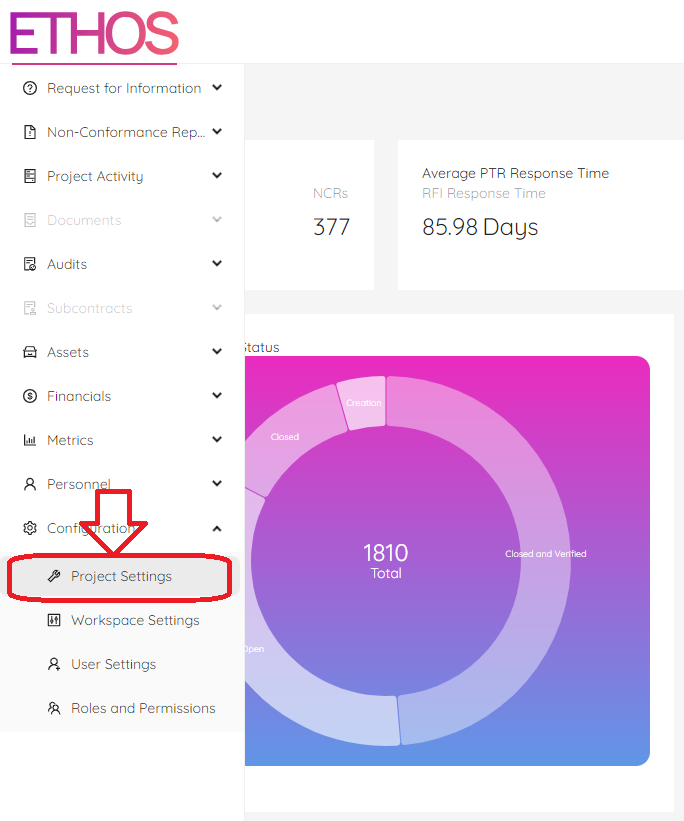
The Workspace Admin (or user given the appropriate workspace permissions) can add personnel/users to a project and assign a role that best suits their position on the project.
Once the admin has assigned a user with a Project Manager role, that user can add additional users and assign their ETHOS Project roles.
NOTE: the ability of a Project Manager to add other personnel to a project depends on the ETHOS predefined role setting. The current settings allow for this, but it is worth noting that the Workspace admin can update/revise the role-based permissions to suit their organizational needs.
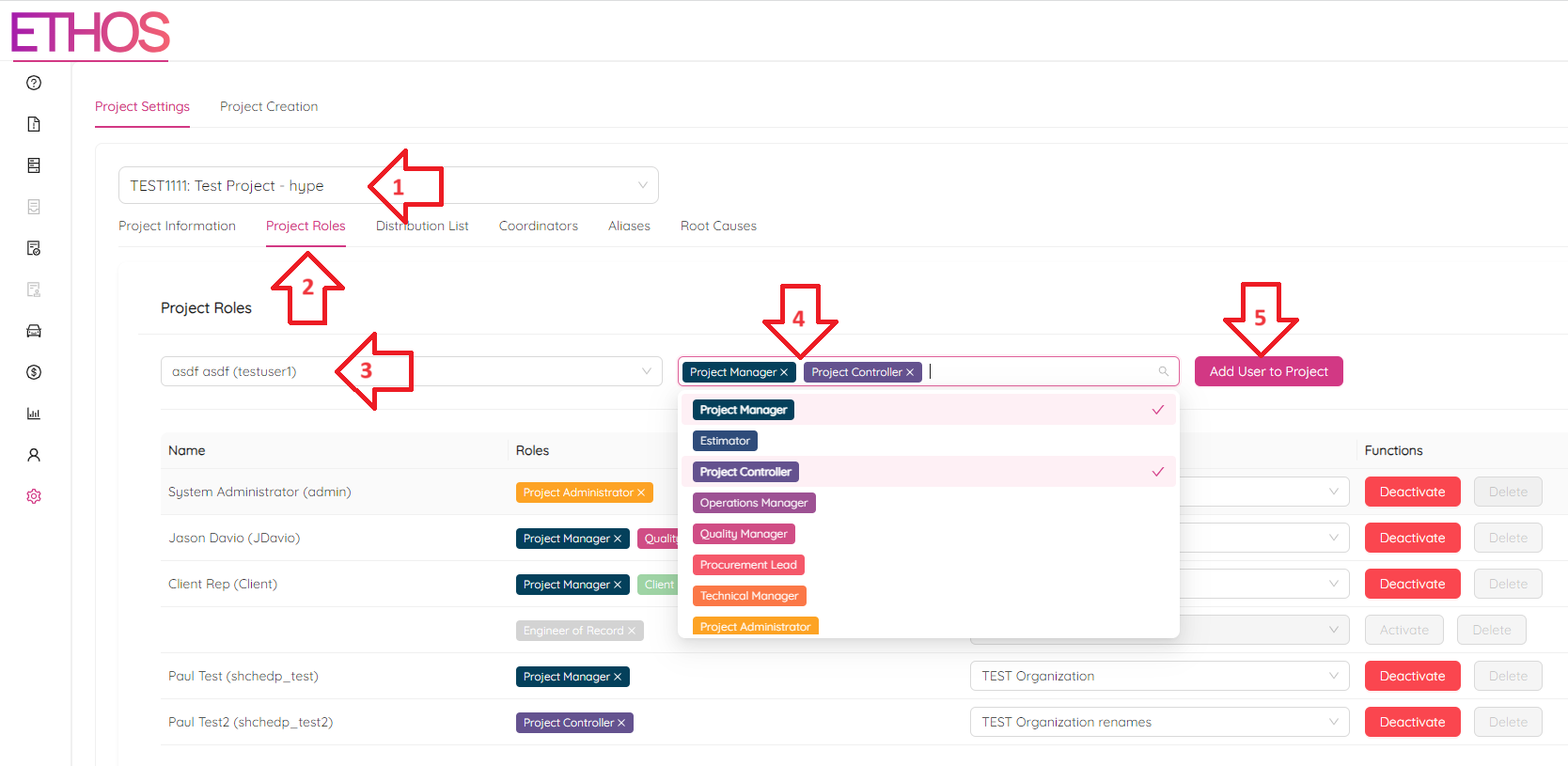
To do that, follow these simple steps:
- Choose the project
- Go to "Project Roles" tab
- Pick a user
- Check the appropriate roles
- Hit "Add User to Project" button