Roles and Permissions
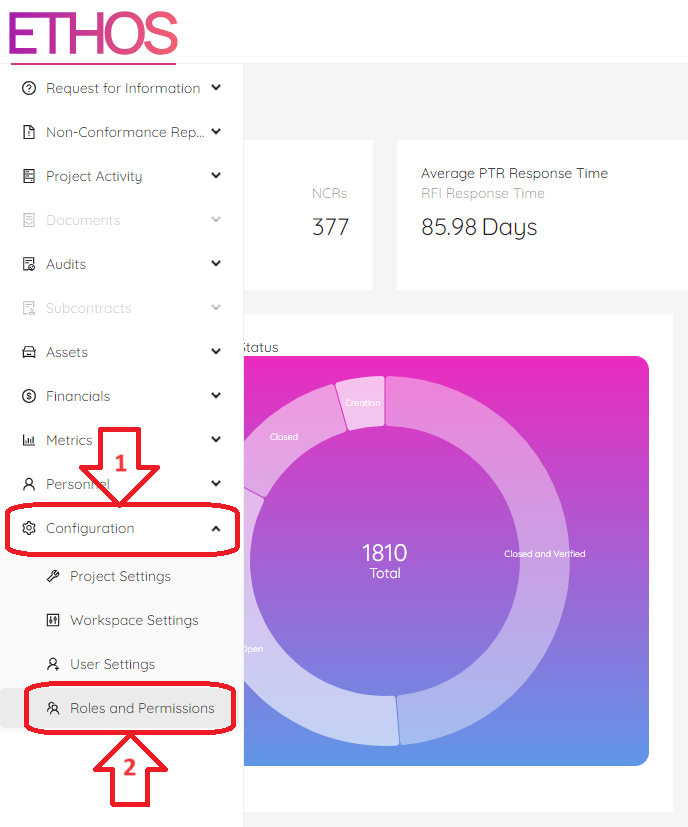
ETHOS predefined role based permissions feed the project roles described above and associated permissions granted. These permission settings are managed in the "Roles and Permissions" module under the "Configuration" menu.
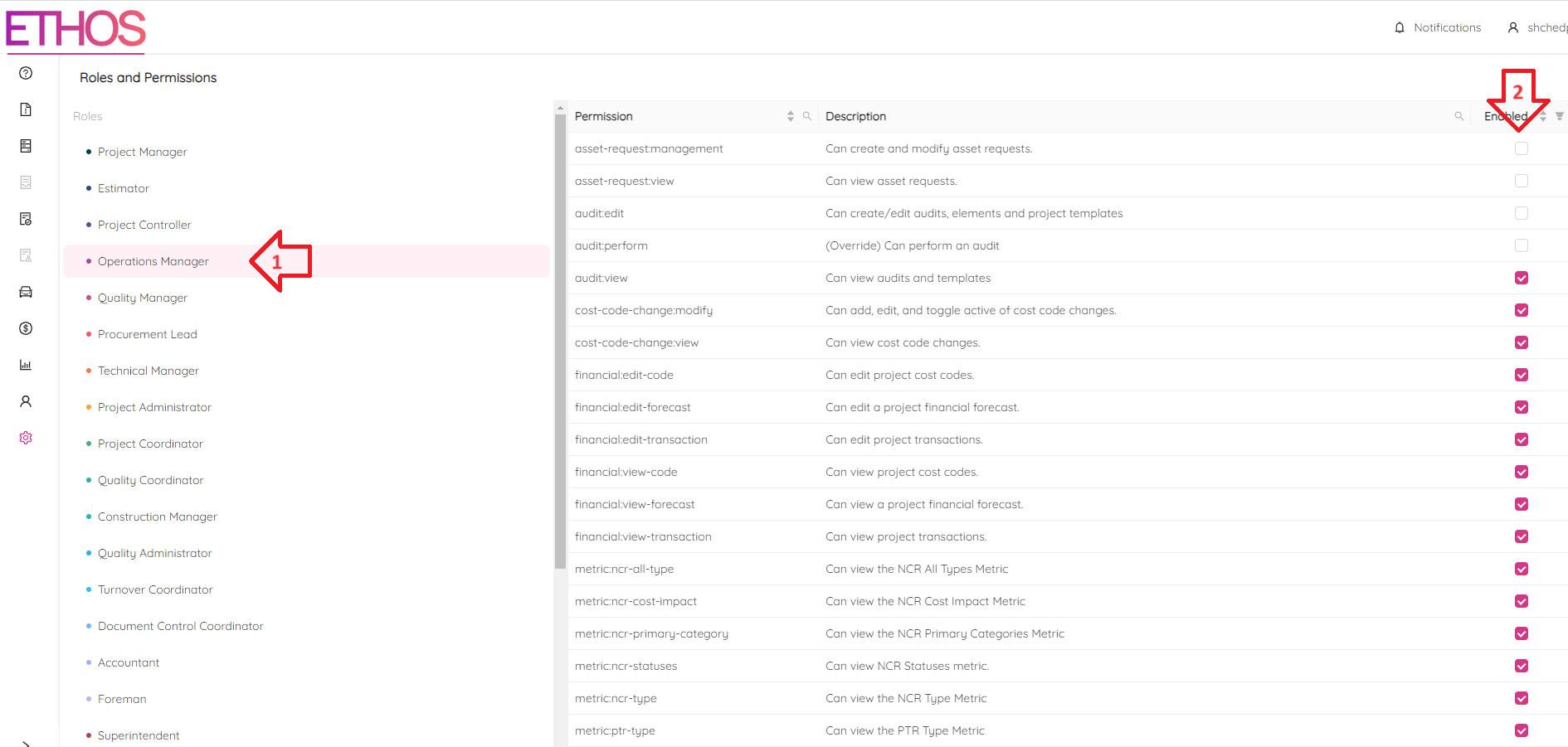
The user with the appropriate permissions will select any of the project predefined roles and then apply the permissions applicable to their organization / requirements.
To do that, follow these simple steps:
- Choose the role
- Check the appropriate permissions