Change Password
If you want to change your password, you have to be logged into the ETHOS application. Click on your username at the top right corner of the application.
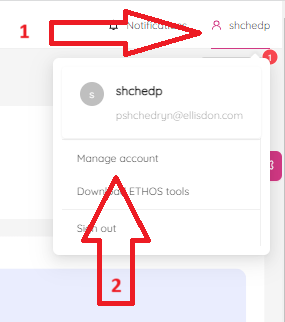
Then click on the "Manage Account" menu item. You will see "Account Details" page.
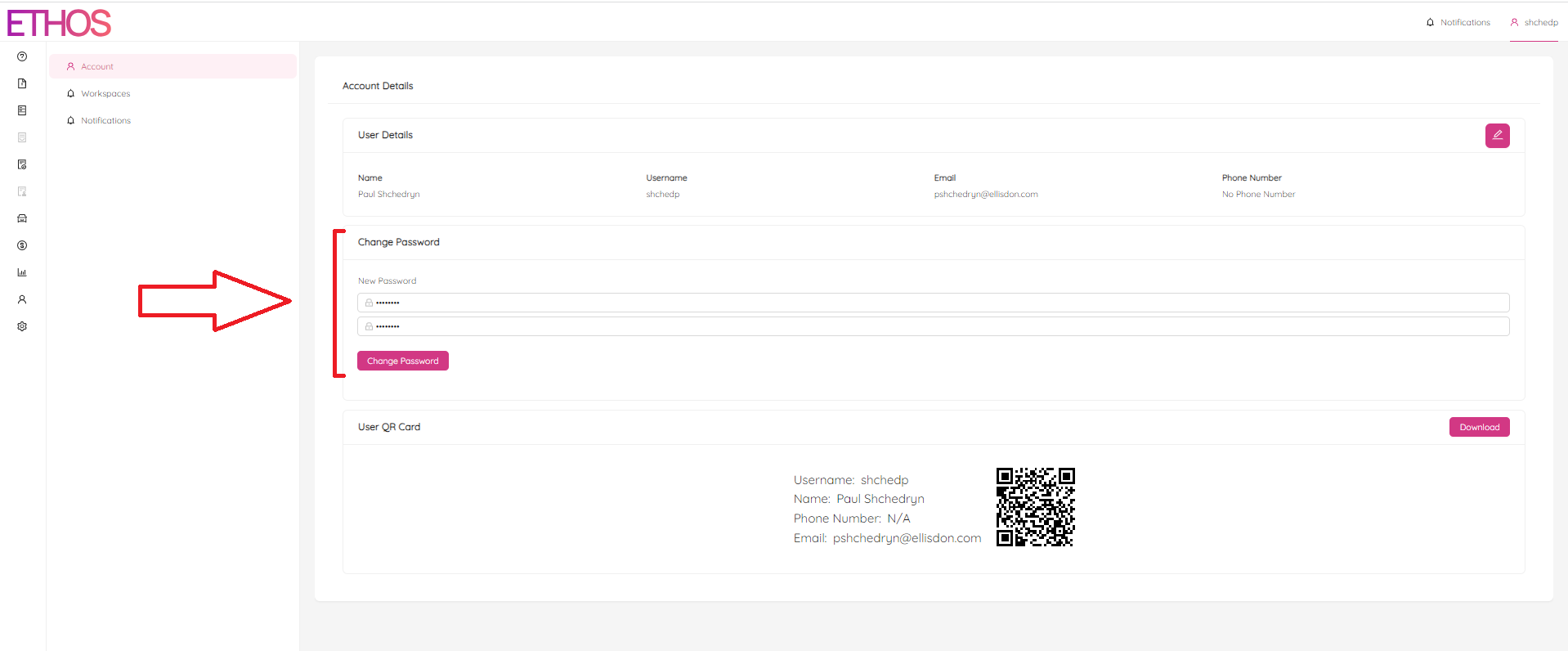
Simply, enter your new password twice and confirm by clicking on the "Change Password" button.