Submit an NCR for Actual Disposition
In this stage as the Acceptor, you are reviewing proposed disposition actions. You can agree with the proposed disposition, describe other required actions, or request the responsible party to provide clarification if needed.
During this stage, the Responsible Party, Acceptor, and Consecutive Parties (if applicable) collaborate to determine a final corrective action for this NCR. Communication can take place through the ETHOS system or another method to update the ETHOS system with the disposition.
NOTE: All Approvers (Issuer or Acceptors) will have to accept Actual Disposition of this NCR.
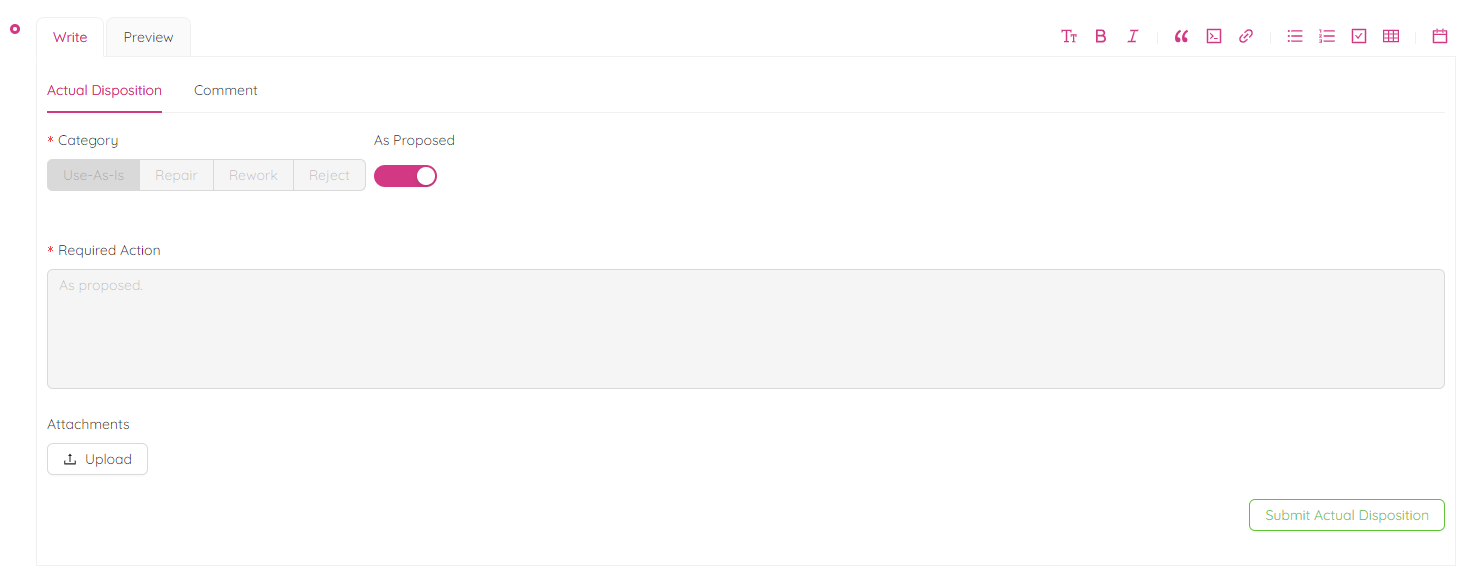
- If you, as the approver, agree with the suggested course of action, simply click the "As Proposed" radio button. This will result in the "Required Action" box turning grey, indicating that no further information is necessary.
- If you disagree with the “Recommended Disposition” and wish to suggest an alternative, please select one of the following options: "Use-As-Is", "Repair", "Rework", or "Reject".
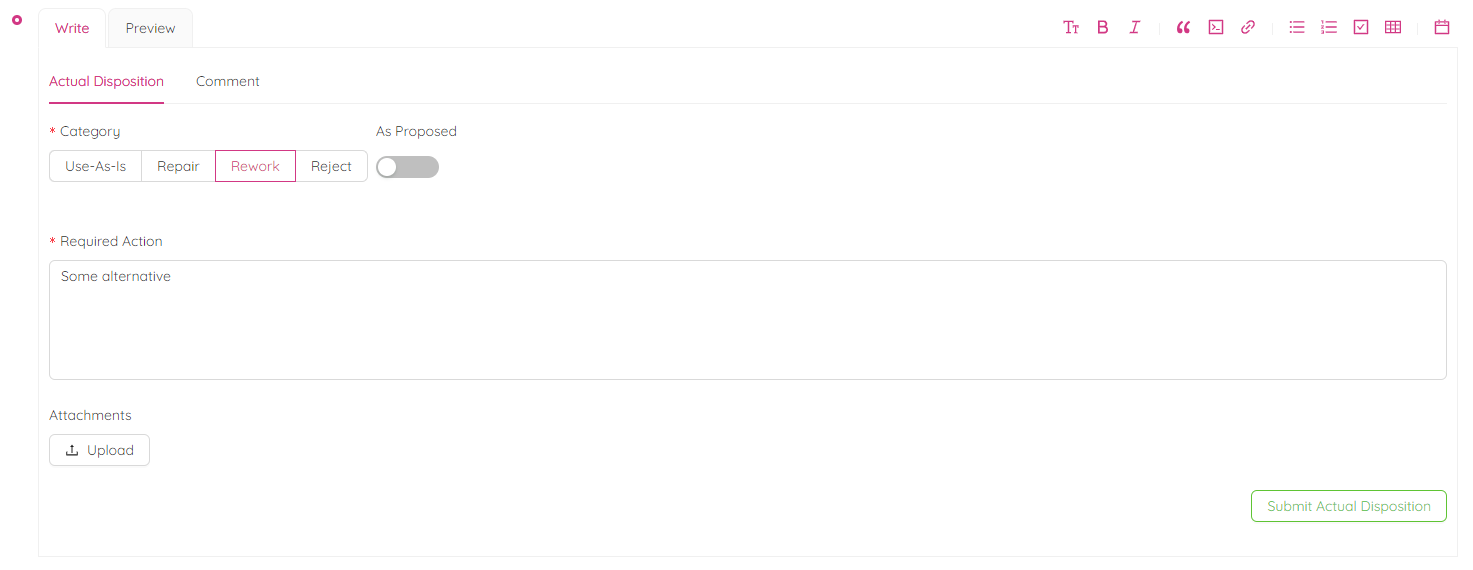
Type the Required Action for the Actual Disposition of NCR. You can upload attachments, change the formatting or preview.
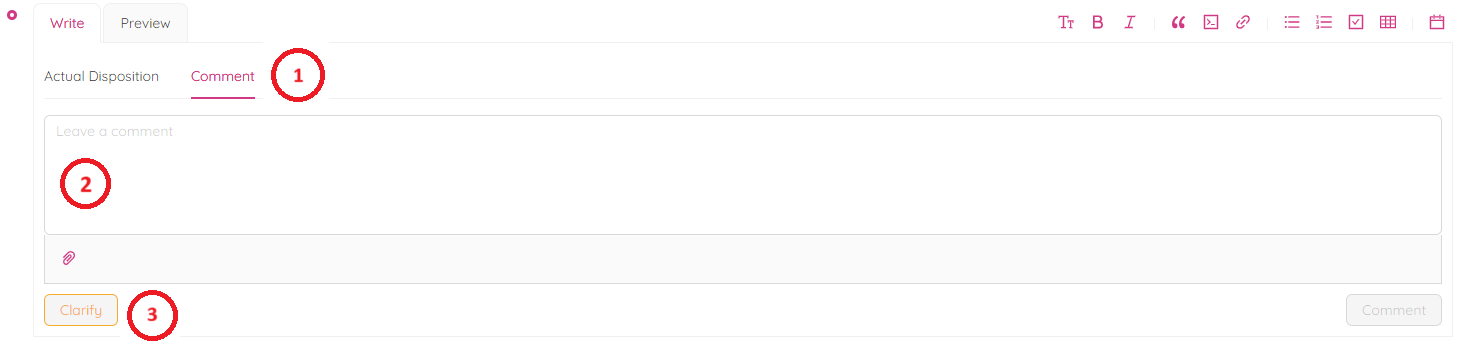
- If you need clarification on proposed corrective action then click on comment, type your comments in comment box, attach documents if needed and click on "Clarify". Responsible party will receive email notification to provide clarifications.
- Click on "Submit Actual Disposition" button to submit for actual disposition.
- When you are ready to submit the NCR Actual Disposition, a dialogue box will pop up asking if you are sure you want to proceed. Confirm and select approvers before clicking "Submit".
An email notification will be sent automatically to the Approvers, and the NCR status will be changed to "Disposition Approval".