Approve an Actual Disposition
At this point, everyone involved can either approve the final decision or ask for more information. Usually, the issuers and responsible parties are the ones who give their approval. However, other parties like the EoR, consultant, client, or jurisdictional authority can also be involved.
As an approver follow these steps to approve the NCR:
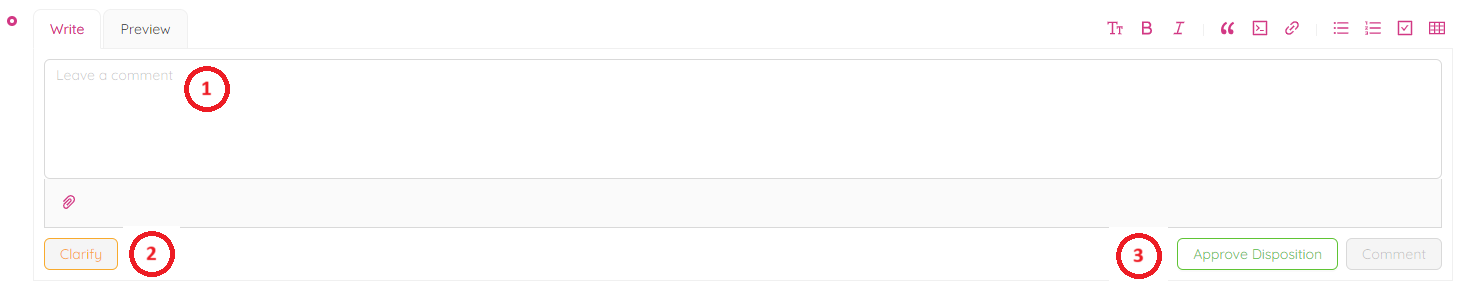
- Scroll down to the "Leave a Comment" section.
- Type in any comments or leave it empty.
- Upload any documents by clicking

- If you want to clarify some information for the NCR before the approval, leave your comment in the comment box and click the “Clarify” button.
The NCR will return to the Issuer coordination stage.
- Click on "Approve Disposition" button to approve the Actual Disposition.
- Confirm by clicking on "OK" button.