How do I accept an invitation to a workspace in ETHOS?
To view artifacts that belong to a workspace, such as assets, NCRs, and RFIs, you need to be given access to the workspace by the Workspace Admin. When the admin invites you to a workspace, you will need to follow the steps below:
-
Login to the app using your credentials. Refer to the Login instruction for more information.
-
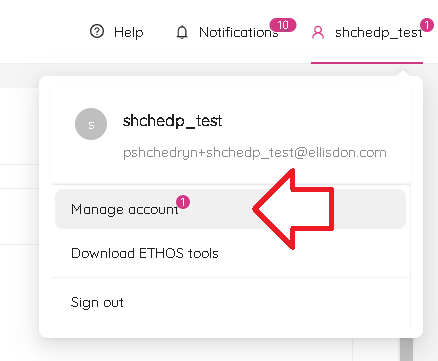
At the top right corner of the app, next to your username, you will see a number that shows the number of invitations waiting for you to accept.

- Click on your username and select Manage Account.
- On the left side of the page, select Workspaces. You will see a list of invites that have been sent to you. Click on the Accept button next to the invite that you want to accept.
