Dynamic Asset Details Management
Dynamic Asset Details are simply an extension of basic asset attributes that helps describe asset better. To manage Dynamic Asset Details, go to Manage Asset under the Assets menu.

From there, select your desired workspace and click on the Dynamic Asset Details Management tab.
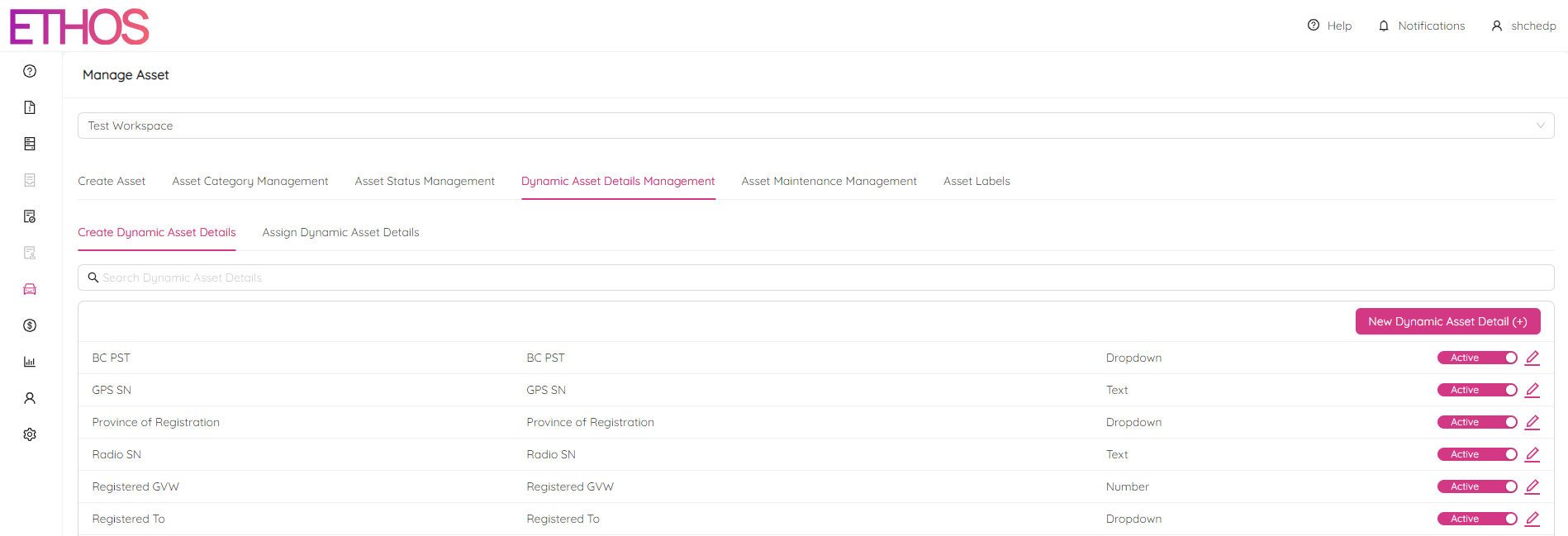
Create Dynamic Asset Details
To add a new Dynamic Asset Detail, click on the New Dynamic Asset Detail (+) button on the right side of the page.
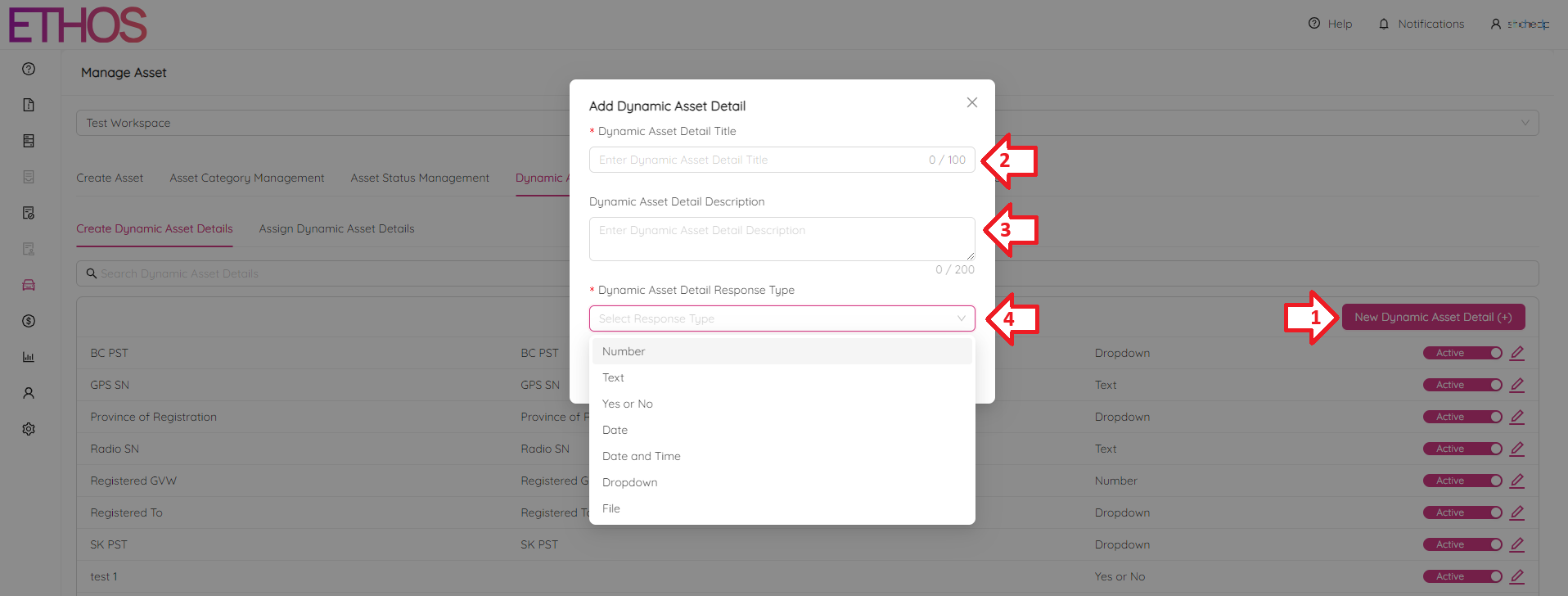
Here, you'll need to provide a title, brief description, and response type for the new detail. Response type defines the type of the attribute and can be one of the following:
- Number
- Text
- Yes/No answer
- Date
- Date and Time
- Dropdown list
- File
Please keep in mind that once you've chosen a dynamic detail type, you won't be able to change it.
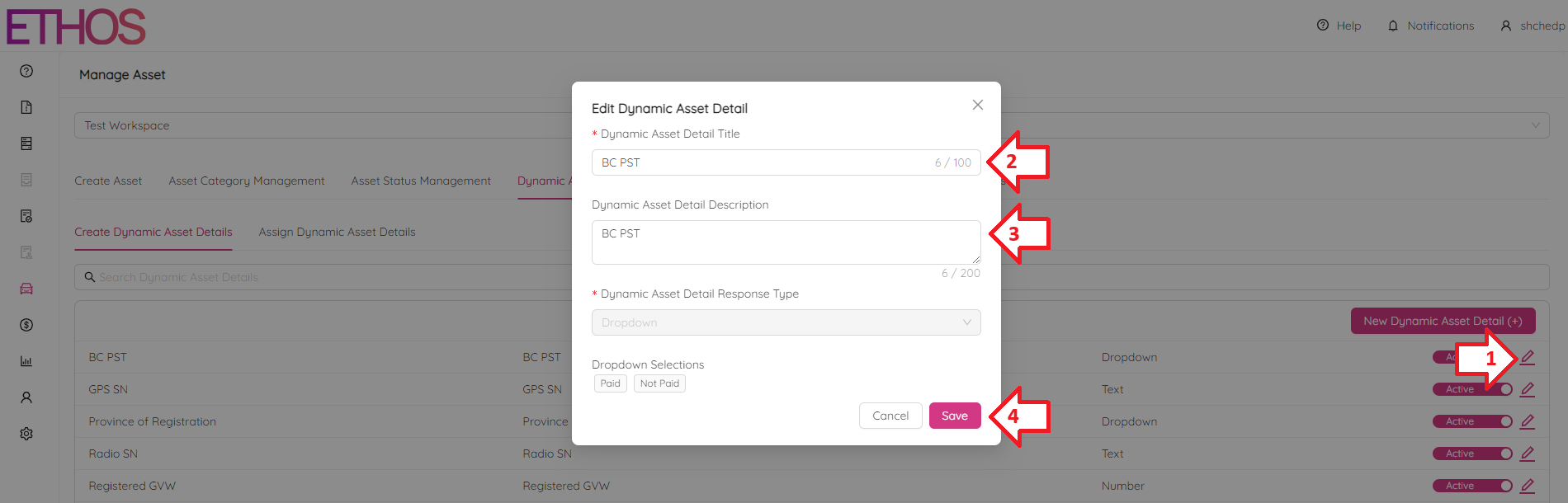
Edit Dynamic Asset Detail
To edit a Dynamic Asset Detail, click on the  icon next to the detail you want to modify. You can only change the title and description.
NOTE: to search for a specific asset detail, use the Search Dynamic Asset Details bar located above the list of previously created details.
Assign Dynamic Asset Details
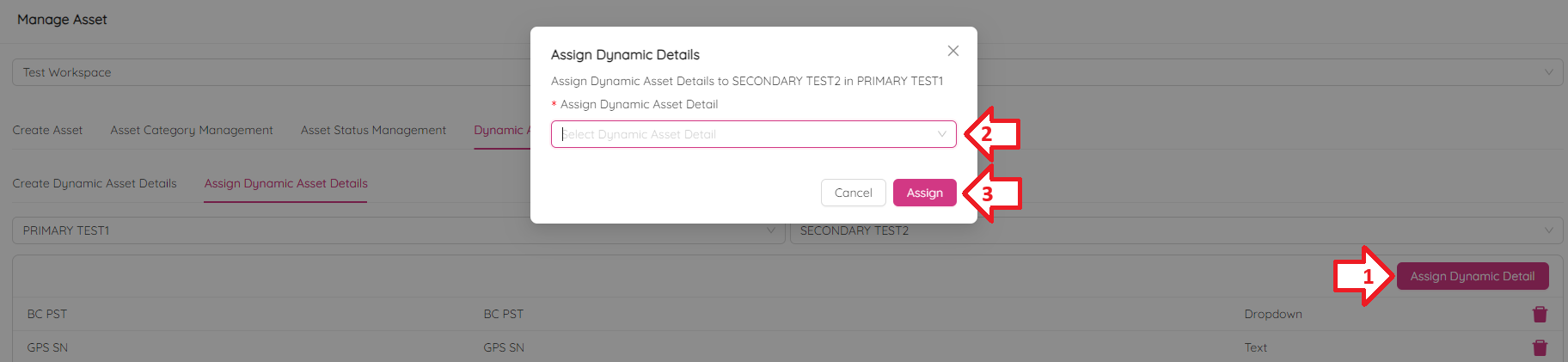
The Assing Dynamic Asset Details tab allows you to assign previously created details to a relevant Primaty and Secondary category. First, you should choose a specific Primary and Secondary category. As a result, you will see a list of details similar to the one below.
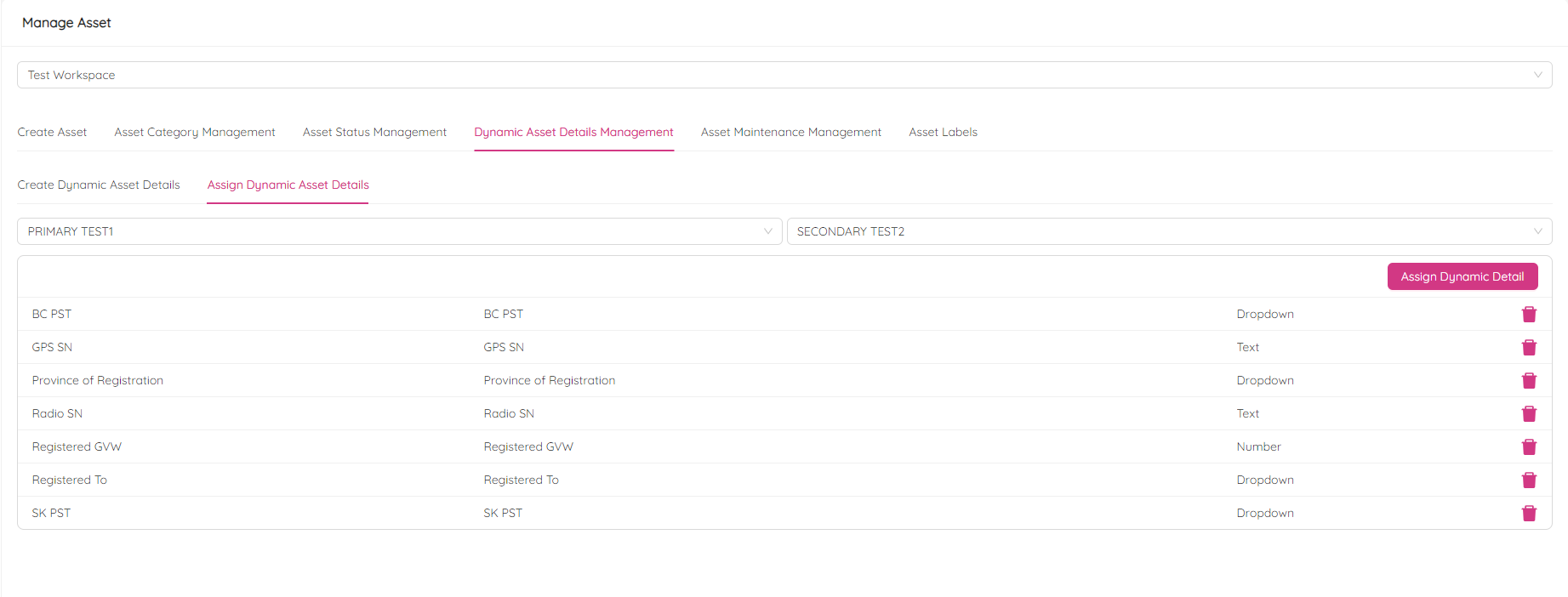
Then, click Assign Dynamic Detail button at the right of the list and pick a detail. Finally, click Assign to confirm.
Delete Dynamic Asset Details Assignment
To delete a dynamic asset detail assigned earlier, select the desired Primary and Secondary categories on the Assign Dynamic Asset Details sub-tab under the Dynamic Asset Details Management tab and click on the  icon next to the detail you want to delete the assignment of.

Confirm by clicking Yes.